






Send work for review without leaving Adobe

ProofNow panels for Photoshop, InDesign, Illustrator, Premiere Pro and After Effects upload your file as a proof and bring every comment back into the app you design in.

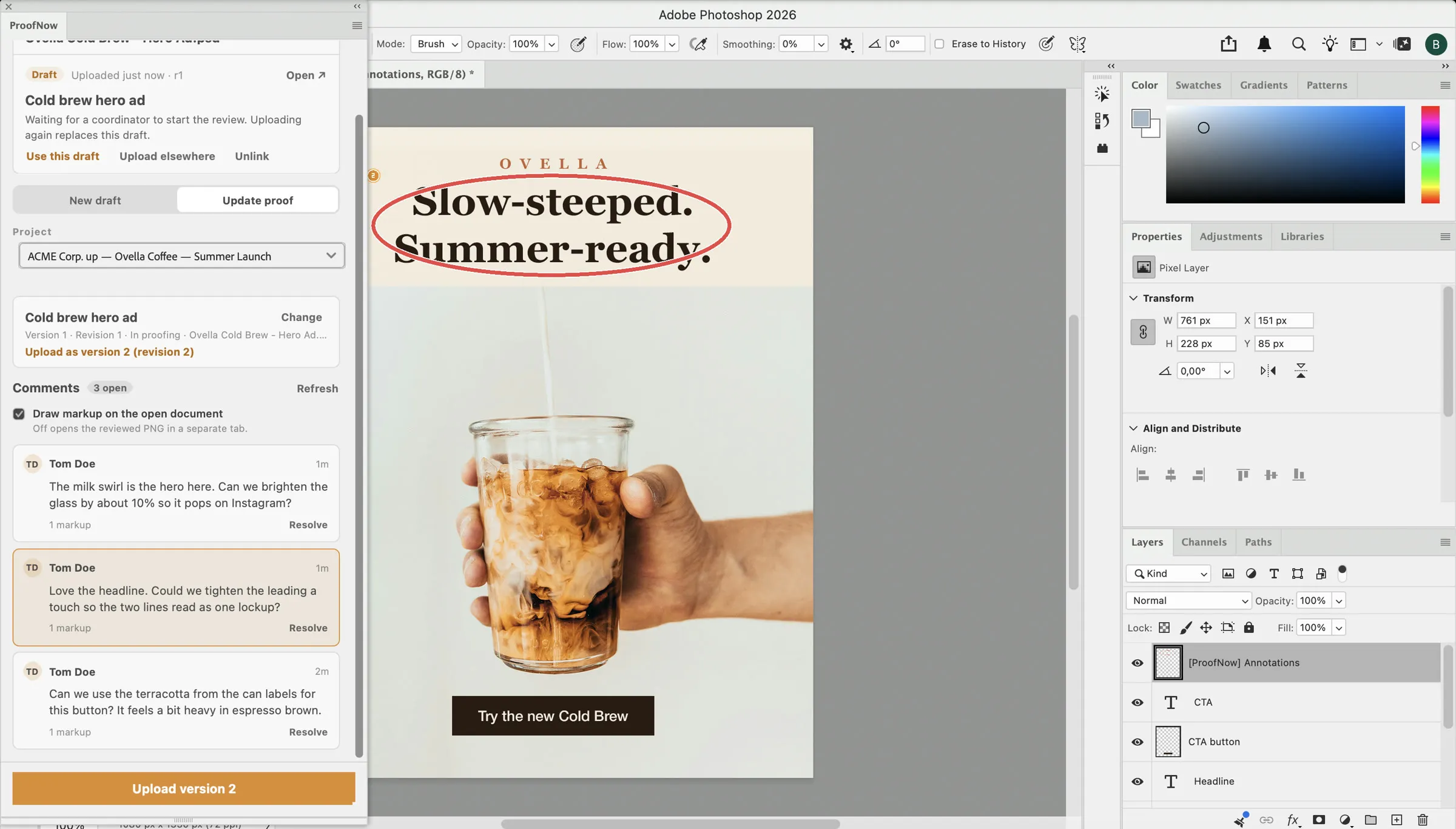
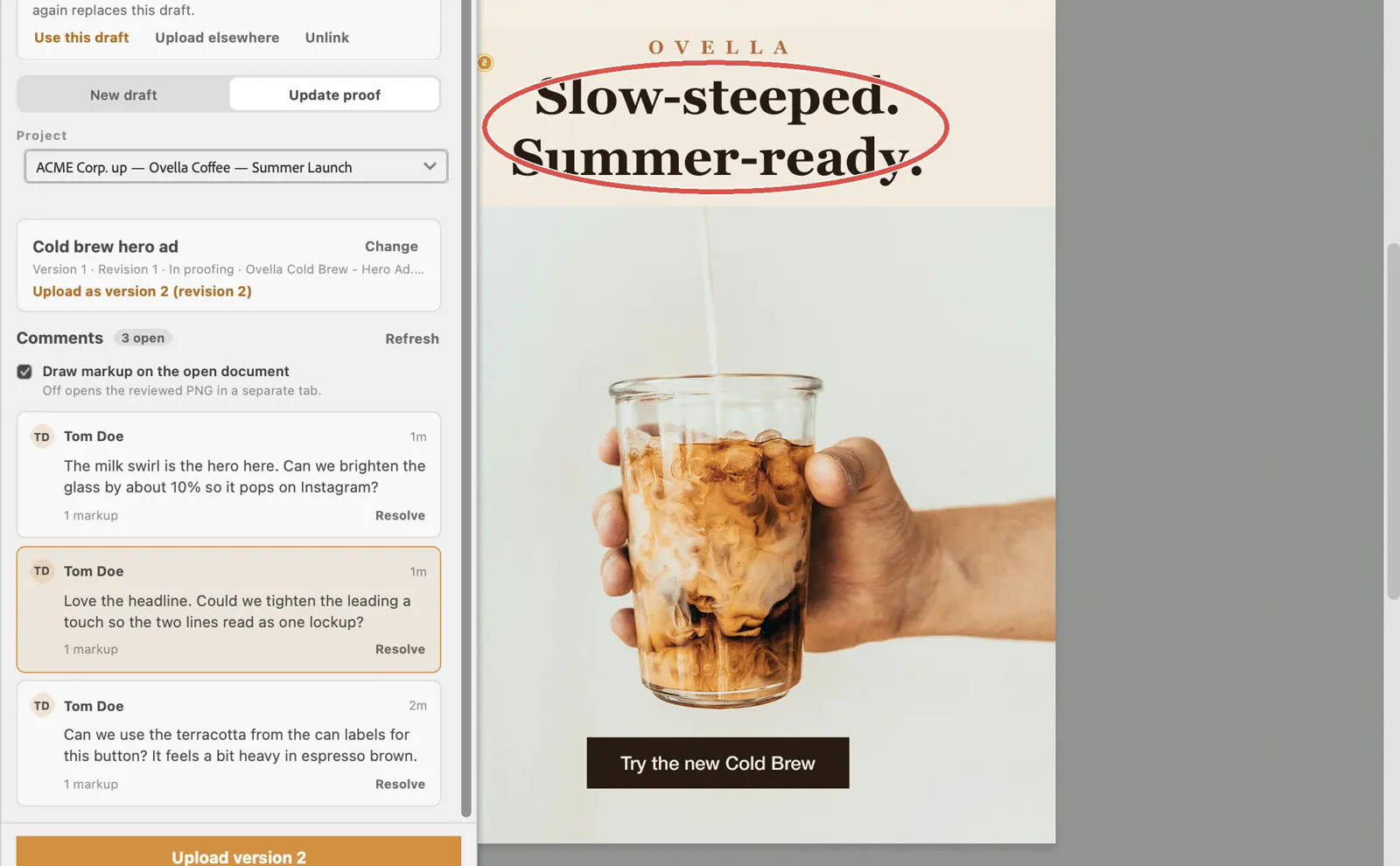
Adobe Photoshop with the ProofNow panel listing reviewer comments and drawing their markup on a cold brew ad

Why a plugin

Stop exporting, attaching and copying comments by hand

Without ProofNow

  • Export a PDF or JPG for every round
  • Upload it somewhere and chase the link
  • Read feedback in email, then hunt for the right page
  • Lose track of which version was approved

With the ProofNow panel

  • One click exports and uploads the review file
  • New versions land on the same proof and monday.com item
  • Comments open the right page, artboard or frame
  • Every version and decision kept in the audit log

From artboard to approval in three steps

The same panel works in every supported Adobe app, so your whole creative team follows one review process.

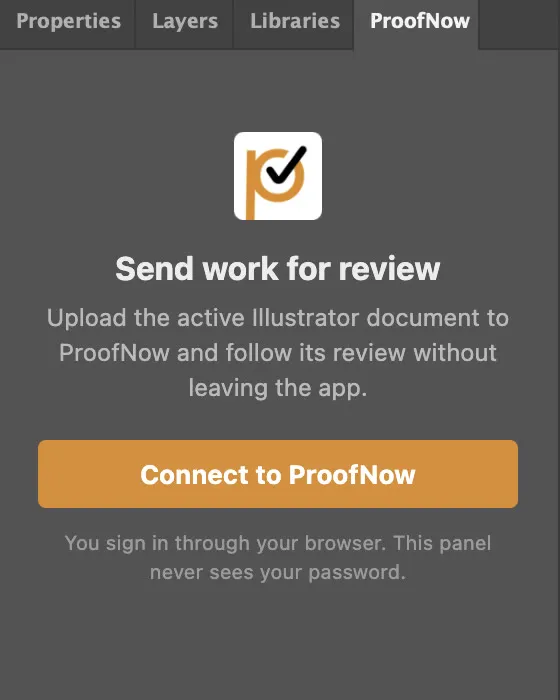
  1. ProofNow panel asking the designer to connect to ProofNow
    01

    Connect once

    Click Connect to ProofNow and approve in your browser. The panel never sees your password.

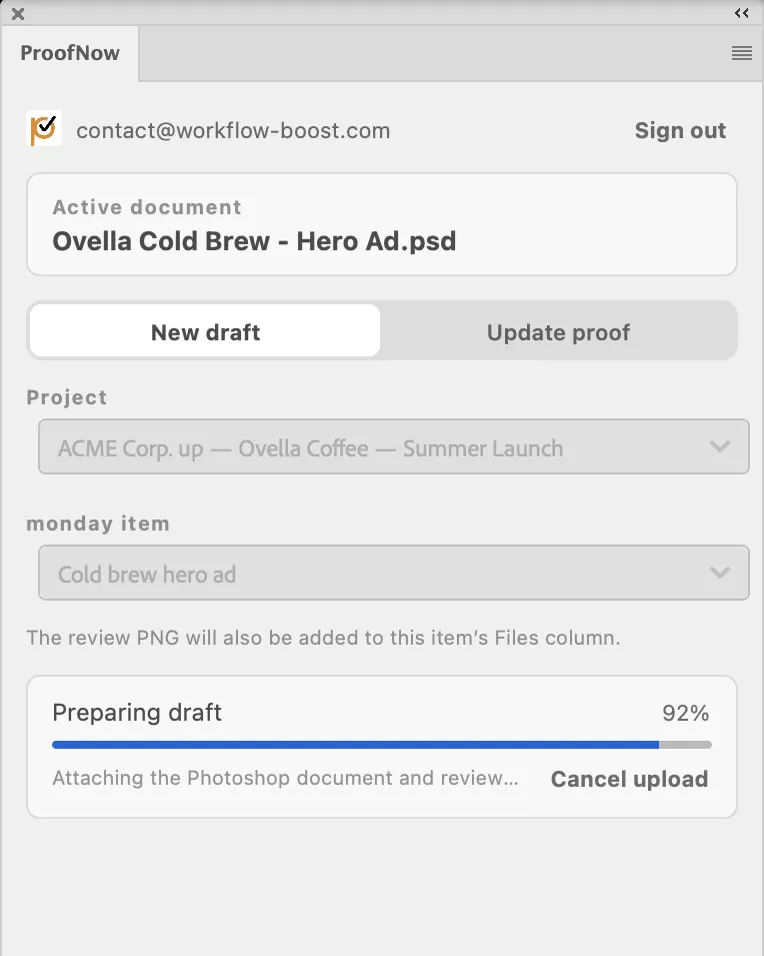
  2. ProofNow panel uploading a Photoshop document as a new proof version
    02

    Upload from the panel

    Pick a monday.com item or an existing proof. The panel makes a review copy and uploads it together with your original file.

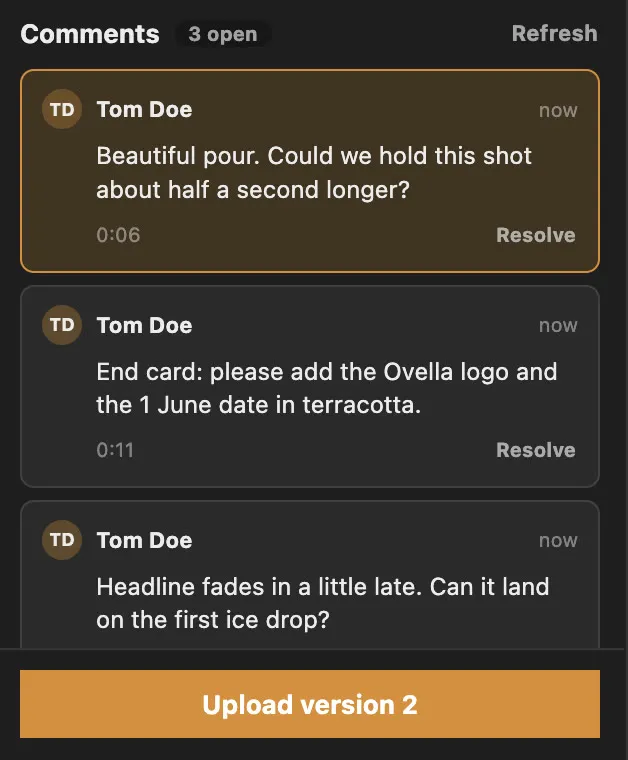
  3. ProofNow panel listing reviewer comments with resolve actions
    03

    Work through the feedback

    Comments from every reviewer appear in the panel. Jump to the right page, artboard or timecode, then resolve each thread.

Adobe Photoshop

A circle in the browser becomes a circle on your canvas

Photoshop uploads your PSD or PSB with a flat image for reviewers. When a reviewer circles, arrows or highlights something, select their comment in the panel and ProofNow draws that markup over the reviewed image in Photoshop.

Reviewer circling the headline of a cold brew ad and leaving comments in ProofNow
01The reviewer circles the headline in the browser, in ProofNow or monday.com.
The same circle drawn by ProofNow on the Photoshop canvas, next to the panel's comment list
02The designer selects the comment in Photoshop and the markup appears on the canvas.
  • Markup opens in a separate tab, so your layers, history and selection stay as they were
  • Or draw it on your open document in a single, removable annotations layer
  • Resolve threads and upload version 2 from the same panel

Adobe InDesign

Proof multi-page layouts, page by page

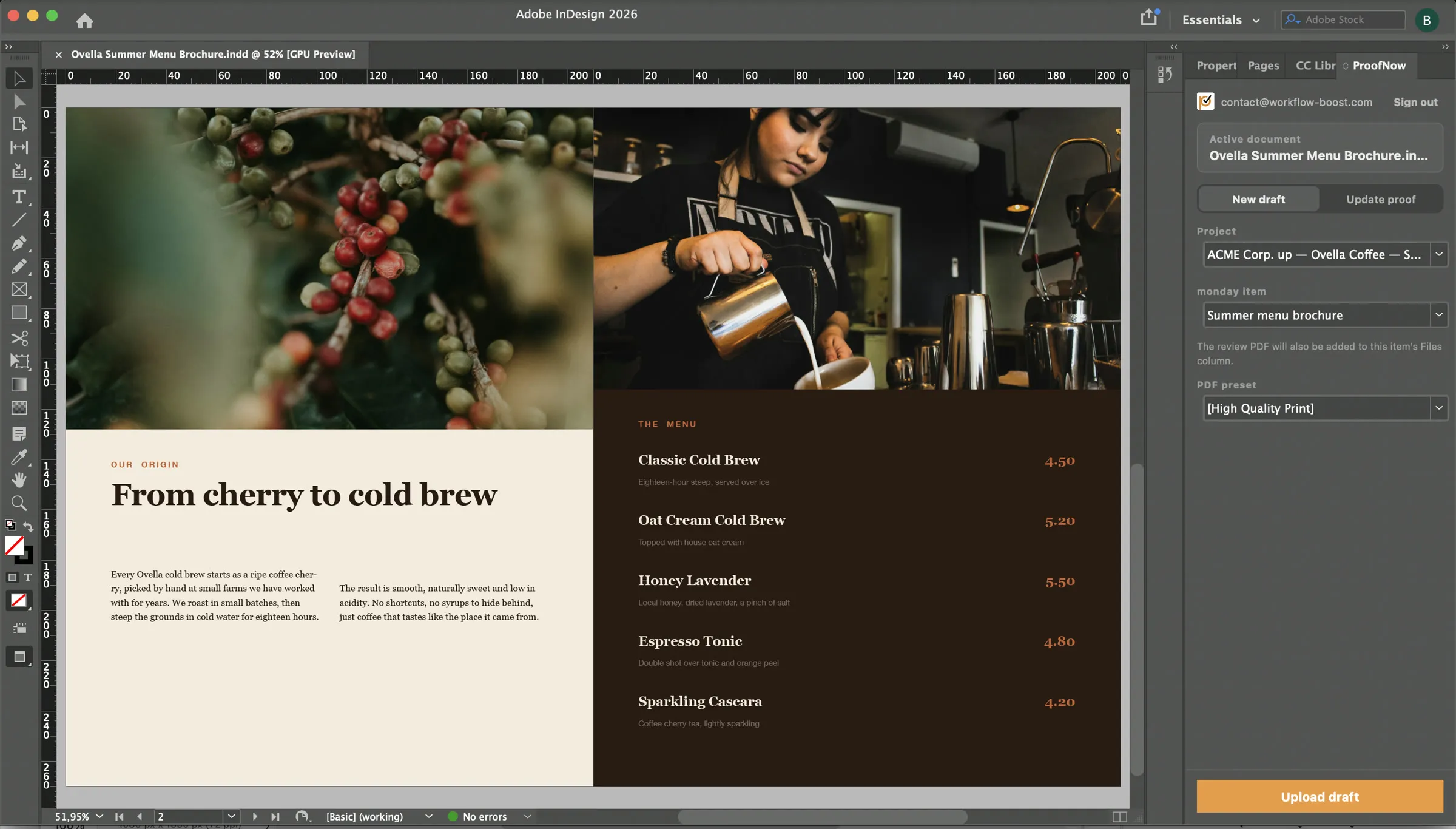
Send a brochure, catalogue or magazine spread for review without exporting and attaching PDFs by hand. ProofNow keeps the INDD and a PDF of every page, so reviewers comment on the exact layout you built.

  • Creates a PDF of every page with the PDF settings you choose
  • Selecting a comment opens its page in InDesign
  • Your document and settings stay exactly as they were
Adobe InDesign menu brochure with the ProofNow panel ready to upload a draft

Adobe Illustrator

Every artboard, reviewed in one proof

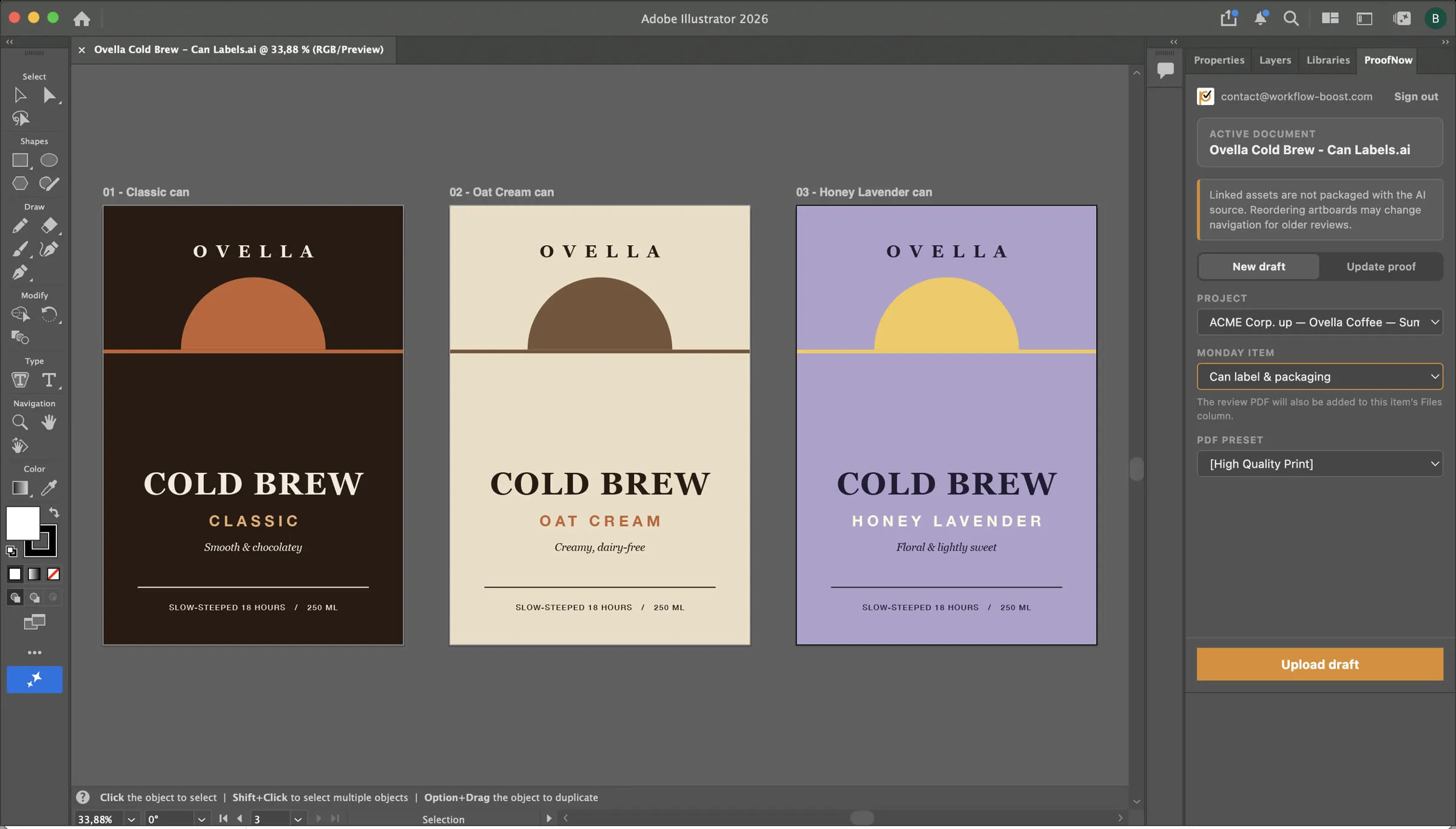
Logos, packaging and campaign artwork go to review as a PDF of all artboards, alongside your original AI file. Reviewers mark up each artboard in the browser.

  • Creates the PDF with the settings you choose, from a copy of your file
  • Selecting a page comment selects its artboard
  • Stays signed in when you reopen Illustrator
Adobe Illustrator can label artboards with the ProofNow panel ready to upload a draft

Adobe After Effects

Motion reviews with frame-accurate comments

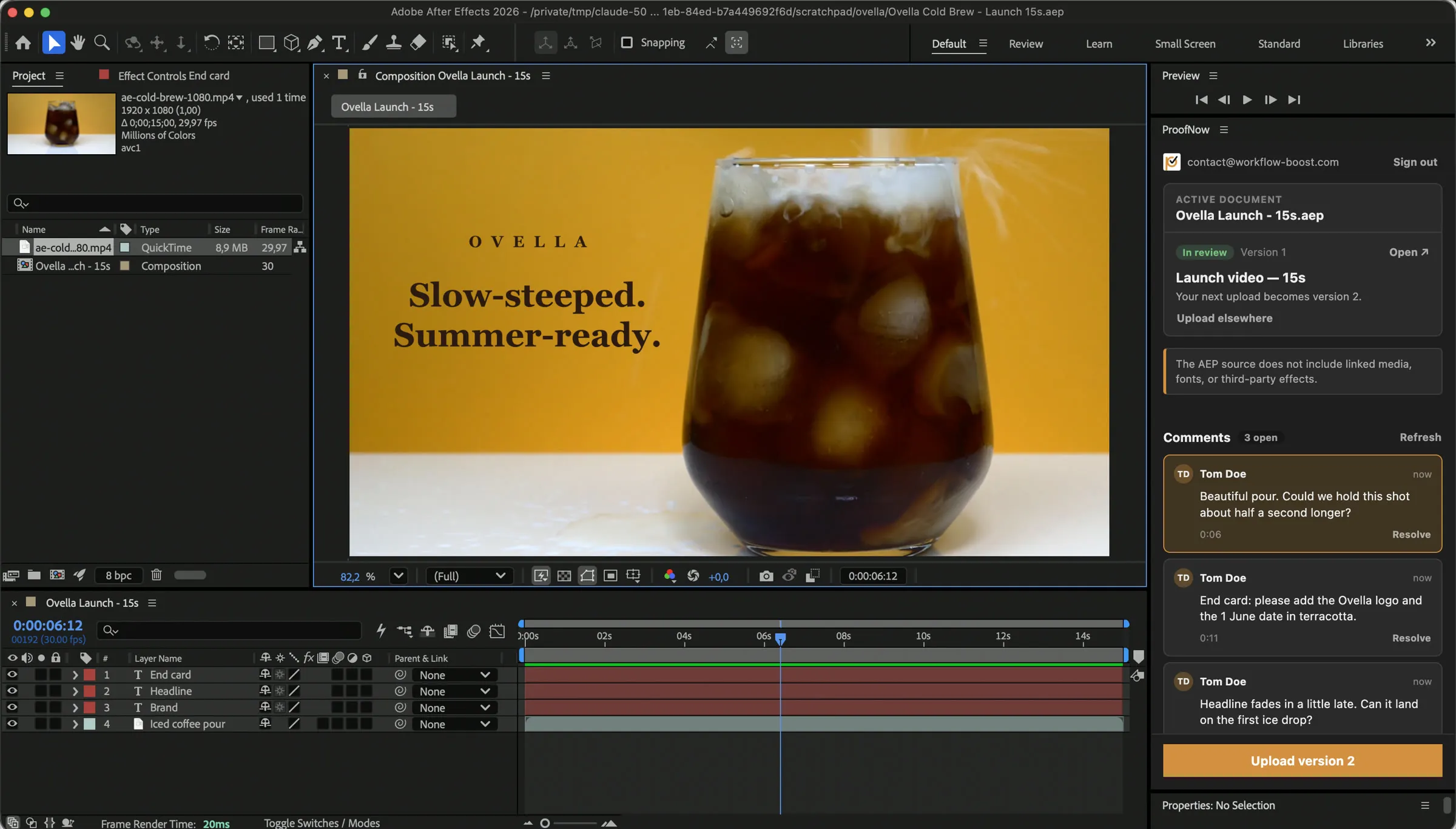
Render the composition you are working on to a video and send it for review with your project. Reviewers pin feedback to an exact moment, and you jump straight to it.

  • Renders in the background while you keep working
  • Selecting a comment jumps to that moment in your composition
  • Never touches your open project or render queue
Adobe After Effects with a timed ProofNow comment selected and the composition moved to it

Adobe Premiere Pro

Timestamped video feedback, back on your timeline

Export your sequence as a video and upload it with your project. Reviewers comment on exact moments in the browser, and selecting a comment in the panel moves your playhead there.

Your footage files stay on your computer; only the video and project are uploaded.

Built for monday.com teams

Your Adobe files, on the board where work is planned

Choose a monday.com item in the panel and upload a draft straight to it. The review file is added to the item's files, the proof gets the item's workflow, and every new version keeps the same history. Project managers track approvals on the board while designers stay in Adobe.

  1. 1

    Designer

    Uploads a draft from Photoshop to the "Cold brew hero ad" item

  2. 2

    ProofNow

    Creates the proof and adds the image to the item's files

  3. 3

    Reviewers

    Annotate in monday.com, ProofNow or from an email link

  4. 4

    Designer

    Sees the comments in Photoshop and uploads version 2

What each plugin sends for review

ProofNow keeps your original file for download, plus a review copy anyone can open in a browser.

ProofNow Adobe plugin compatibility
AppOriginal keptReview fileSelecting a commentWorks with
Adobe PhotoshopPSD or PSBPNG imageDraws the reviewer’s markup on your imagePhotoshop 23.3 or later
Adobe InDesignInDesign file (INDD or INDT)PDF of every pageOpens the commented pageInDesign 18.5 or later
Adobe IllustratorAI filePDF of every artboardSelects the commented artboardIllustrator 29.5.1 or later
Adobe Premiere ProPremiere Pro projectMP4 video of your sequenceMoves the playhead to the commentPremiere Pro 25.6 or later
Adobe After EffectsAfter Effects projectMP4 video of your compositionJumps to that moment in the compositionAfter Effects 25.0 or later

Works on Mac and Windows.

Designed to be safe in your creative tools

Simple, safe sign-in

Connect each Adobe app by approving it in your browser. The panel never sees your password, and you can disconnect it from ProofNow at any time.

Your documents stay untouched

The review file is made from a copy, so your document stays exactly as you left it. Nothing is left behind on your computer.

Made by your Adobe app

Your own Adobe app creates the review file, so reviewers see exactly what you designed. Files can be up to 1 GB.

Same access as in ProofNow

The panel only shows the projects, items and proofs you can already open in ProofNow.

Adobe plugin questions

Which Adobe apps does ProofNow work with?
ProofNow has panels for Adobe Photoshop, InDesign, Illustrator, Premiere Pro and After Effects. Each app has its own panel that uploads the open document and shows its review feedback.
What does the plugin upload to ProofNow?
Two files: your original and a review copy made by your Adobe app. Photoshop sends the PSD or PSB plus a PNG image, InDesign the INDD plus a PDF of every page, Illustrator the AI file plus a PDF of every artboard, and Premiere Pro and After Effects your project plus an MP4 video. Reviewers open the review copy in their browser and can still download the original.
Do reviewers need Adobe Creative Cloud?
No. Only the designer uses the Adobe app. Reviewers open the proof in ProofNow or monday.com, or from an email link, and annotate it in any browser.
Can I see comments without leaving Photoshop or InDesign?
Yes. The panel lists the comments on the version you are working on, and you can resolve or reopen them. Selecting a comment opens its InDesign page or Illustrator artboard, or jumps to that moment in Premiere Pro or After Effects. In Photoshop it draws the reviewer’s markup on a copy of the image.
Will the plugin change my document?
No. The review file is always made from a copy, so your document, layers and settings stay exactly as they were, and nothing is left behind on your computer.
How does sign-in work?
Click Connect to ProofNow in the panel and approve it in your browser. The panel never sees your password, and you can disconnect it from ProofNow at any time.
Are linked images, fonts or footage uploaded too?
No. ProofNow keeps your document and its review copy, not the separate image, font or footage files. The review copy already shows everything, so reviewers see the complete design.
How large can uploads be?
Each file can be up to 1 GB. The panel shows progress while it uploads, and you can cancel at any time.

Bring approvals into your Adobe workflow

Add ProofNow to monday.com, then connect each Adobe app from its panel. Want help rolling it out to your studio? Talk to us.

Reviewers never need Adobe Creative Cloud or a monday.com seat.